 Vaeroly
Help centre · For pilots
What the PIREP statuses mean
Every flight you file becomes a PIREP (pilot report) with a status. This article explains each status, what it means for your hours and points, and what, if anything, you need to do.
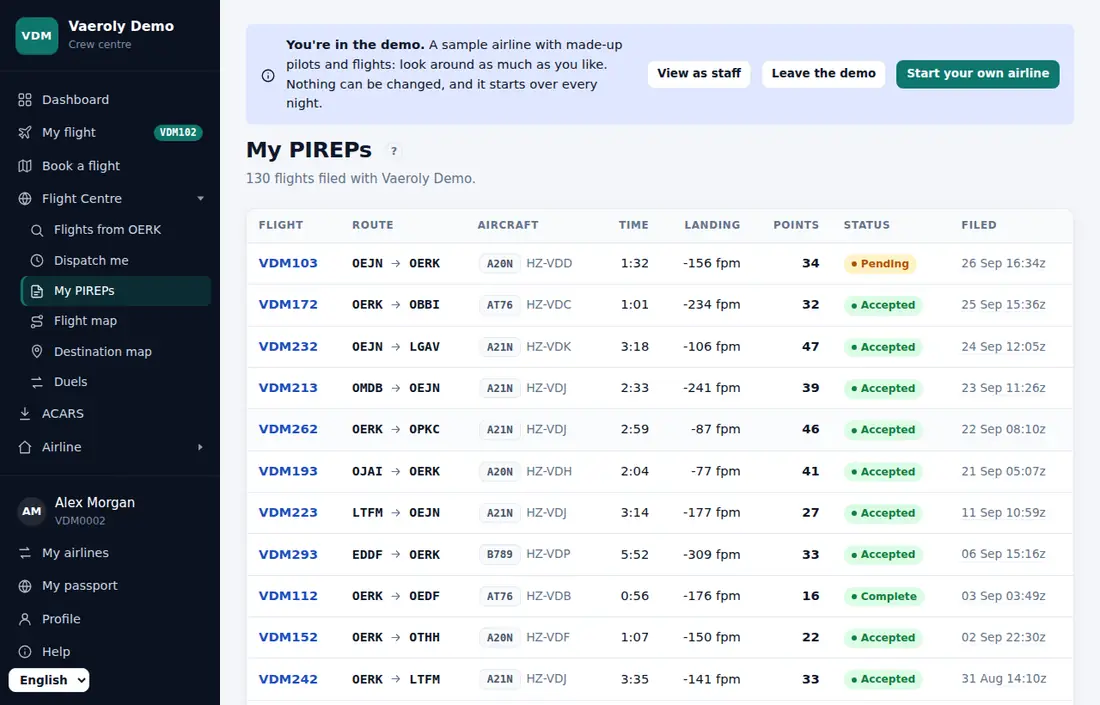
Where to see your PIREPs
Open My PIREPs in your airline's Flight Centre menu. Click a flight to open its page. The status is shown next to the flight number, and any Staff notes explain a decision.
Your logbook and certificates
Above the list, Logbook has two downloads of every flight you've filed at this airline: CSV (opens in a spreadsheet) and PDF (to print or keep, with totals of the flights that count).
If your airline has turned on certificates, a Certificates card lists a PDF certificate for each rank you've reached, each tour you've finished and each award you've been given. They're made when you download them, so they always show your name as it is now.
The statuses
pending
The PIREP is waiting for staff. It doesn't count toward your hours or points yet. You don't need to do anything; keep flying.
A PIREP is pending when:
- you filed it by hand with Manual PIREP (these always go to staff), or
- an ACARS flight was flagged, for example a hard landing, a high G touchdown, an unstable approach, a demo flight, or not being seen online when your airline requires it, or
- your airline has Auto-accept clean ACARS flights switched off, so staff check every flight.
Some airlines also send every charter flight to review.
accepted
Staff accepted the flight, or it was a clean ACARS flight that your airline accepts automatically. It counts toward your hours, points and flights.
complete
Only if your airline has turned on Complete and invalidated PIREPs. A clean ACARS flight that passed every automatic check by itself is marked complete instead of accepted. It counts exactly like an accepted flight.
waiting for pilot
Staff, or an automatic check, have a question about the flight. The PIREP page shows Staff have a question about this flight. and a date to answer by.
- Scroll to the comments on the PIREP page.
- Write your answer in Add a comment and send it.
Your reply sends the PIREP back to staff as pending. If you don't answer within 5 days, it goes back to staff anyway, with a note that you didn't reply.
If your airline has turned on Unanswered questions block flying, you can't book or start a flight at that airline until you reply. See Replying to staff about a PIREP.
rejected
Staff, or one of your airline's automatic rules, turned the flight down. The reason is in Staff notes; an automatic rejection starts with "Rejected automatically". A rejected flight earns no points.
It normally earns no hours either. If your airline has turned on Rejected flights keep their hours, flights filed since then still count their hours.
invalidated
Only if your airline has turned on Complete and invalidated PIREPs. The flight doesn't count at all: no hours and no points. Staff use this for flights that shouldn't count, for example ones flown with time acceleration, and some automatic checks can invalidate a flight too.
Good to know
- Whatever the status, you and the aircraft are moved to the airport where the flight landed as soon as it's filed.
- If your airline has turned on Review tools, you get an email when staff accept, reject or invalidate a PIREP.
- If your airline has turned on Pilot comments send a PIREP to review, a comment on a decided PIREP within a few days of filing sends it back to staff.
- If your airline has turned on the Scoring and PIREP rules page, Scoring & rules in the Airline menu lists exactly what sends a flight to review or rejects it at your airline.
- Not sure why a flight was rejected? Ask in the comments on the PIREP page.
For how flights are tracked and filed, see Installing and using ACARS.