 Vaeroly
Help centre · For pilots
Privacy settings
Your Profile has a few settings that control who sees you and your flights. This article explains each one, and how to download or delete your data.
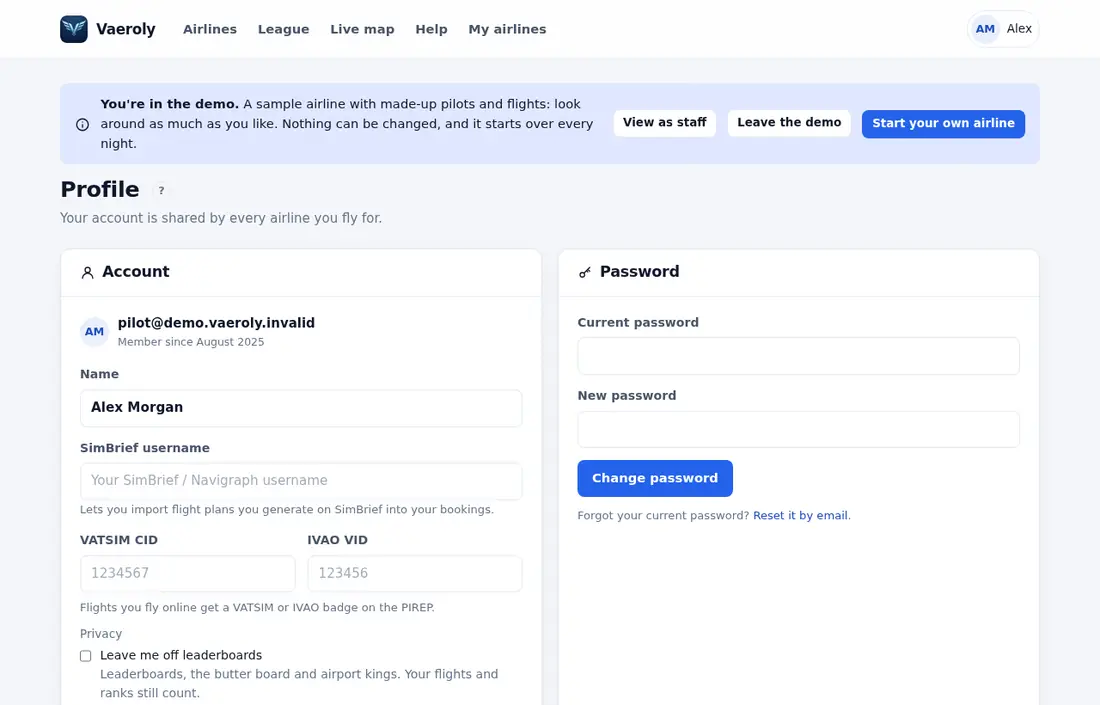
Your account is shared by every airline you fly for, so these settings apply at all of them.
Hiding from leaderboards and live maps
- Open Profile from the menu (on the main site it's under Profile & password).
- In the Account card, find Privacy.
- Tick the options you want.
- Press Save.
You'll see "Profile saved."
Leave me off leaderboards
When this is ticked, you're left off:
- the Leaderboard, including its Butter board of the softest landings
- Airport kings
Your flights, hours, points and rank still count as normal. On the Leaderboard you'll see a note that you're hidden. You still appear on your airline's Roster.
Hide my flights from other pilots' live maps
When this is ticked, other pilots don't see your flights in progress on your airline's Live map or the live flights on its dashboard. Your flights are also left off Vaeroly's public live map, and off the flight feed your airline can share with its own tools through its API.
You still see your own flights, and your airline's staff still see them too.
Your public profile
Tick Public profile under Privacy on your Profile page and press Save to get a page anyone can open, at the address shown next to the setting. It shows your name, and at each airline you fly for your pilot ID, rank, hours, flights, average landing and awards, plus the countries in your passport. It never shows your email, VATSIM or IVAO number, or Discord account, and search engines are asked not to list it. Untick the box to make it private again.
Emails
The Emails card on your Profile lets you turn off emails you don't need:
- announcements from Vaeroly
- comments on PIREPs (replies from staff or pilots)
Untick the ones you don't want and press Save email choices. Emails about your account, security, billing and decisions on your own flights and requests always come.
Your stream overlay link
If you made a link in Stream overlay, anyone who has it can see your flight in progress or your last landing. Keep it private. If it gets out, press New link to replace it, or Switch off to stop it working.
Downloading your data
In the Your data card:
- Download my data (JSON) gives you one file with your account, memberships, flights and comments.
- Everything, with spreadsheet and screenshots (ZIP) gives you the same with a spreadsheet and your screenshots.
The page also links to the Privacy Policy.
Leaving an airline
Also in Your data, under Leave an airline, press Leave next to the airline and confirm. Open bookings at that airline are cancelled. Your flights stay in the airline's history, and if you join again later you get the same pilot ID back.
If you just need a break, take a Leave of absence instead.
Deleting your account
- In Your data, open Delete my account.
- Type
DELETEand your current password. - Press Delete my account and confirm.
Your account is deleted 30 days after you ask. Until then you're signed out and taken off rosters and boards. If you change your mind, sign in again within the 30 days to keep your account.
After 30 days, your name, email, network IDs, Discord link, ACARS sign-ins and memberships are removed for good. Your past flights stay in airlines' statistics without your name.
If you own an airline, you have to hand it over to someone else first. See Handing the airline to a new owner.